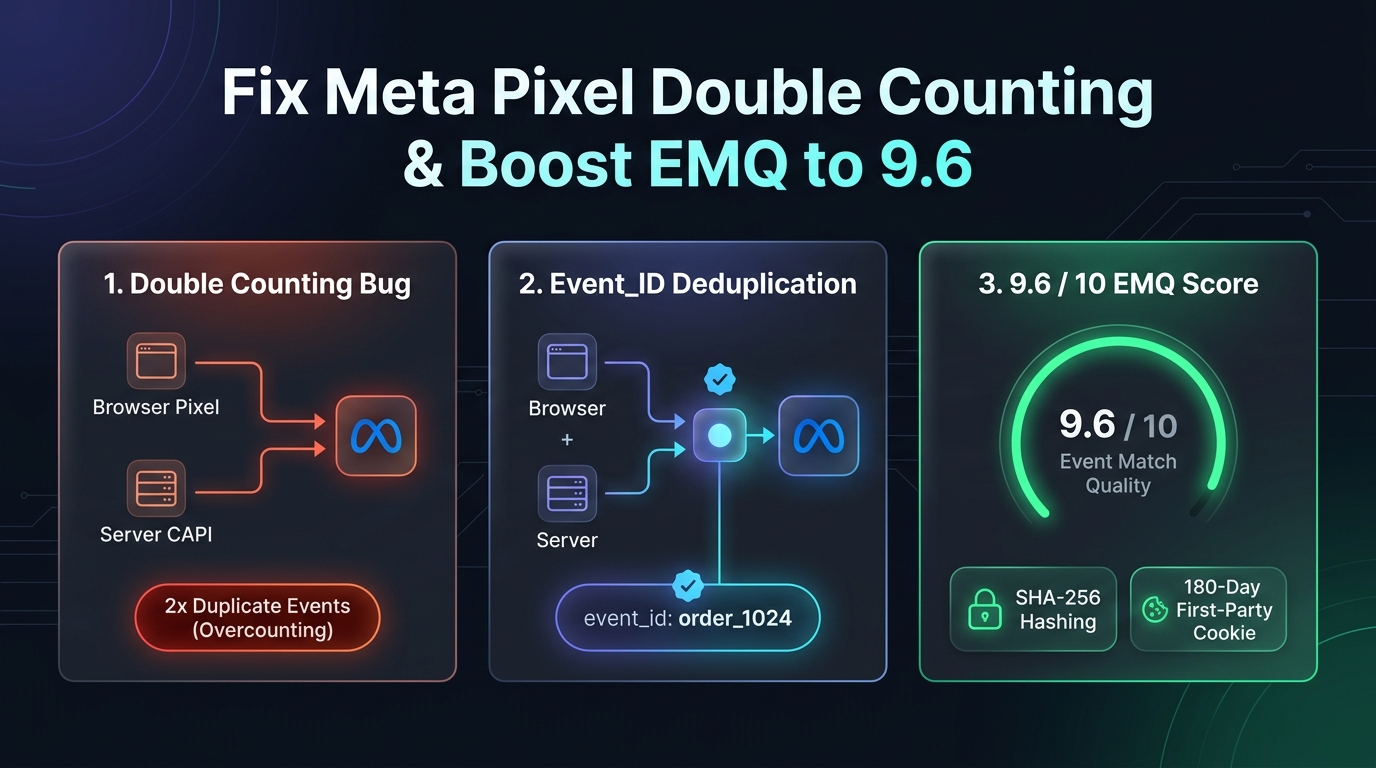
Open Meta Events Manager for almost any WooCommerce store running both a browser Pixel and Conversions API (CAPI), and you will almost certainly spot one of three fatal tracking errors:
1. Double-Counted Purchases: Ads Manager reports 2x the actual revenue because the browser Pixel and Server CAPI fire with mismatched event_id values.
2. Low Event Match Quality (EMQ 4.5 – 6.2/10): Meta warns that _fbc, _fbp, em (Email), or ph (Phone) parameters are missing or unhashed.
3. Missing Gateway Redirect Conversions: Customers pay via Stripe 3DS, PayPal, Klarna, SSLCommerz, or bKash, close their browser tab before returning to /checkout/order-received/, and the Purchase event vanishes completely.
In this technical guide, we show you how deterministic event_id deduplication and Meta Graph API v26.0 solve all three problems permanently.
1. Why Meta Pixel & CAPI Double Count Purchases in WooCommerce
When you run redundant tracking (Browser Pixel + Server CAPI), Meta expects both channels to send the exact same event name (event_name) AND the exact same unique identifier (event_id) within a 48-hour window.
Why Standard Setups Fail Deduplication:
The GTM Timestamp Trap: In many Stape.io or manual GTM setups, the browser generates event_id using a JavaScript timestamp (Date.now()), while the server generates a different timestamp two seconds later. Because event_id_browser !== event_id_server, Meta counts two separate purchases.
Page Refresh Duplication: A customer refreshes the /order-received/ thank-you page on their phone 3 hours later to check their order number. Standard plugins fire a brand-new Purchase event on every page reload!
The CapiFlow Pro Deterministic Deduplication Formula:
CapiFlow Pro eliminates double counting at the database level:
1. Every WooCommerce order generates a single deterministic, immutable key stored in WooCommerce HPOS order meta: capiflow_purchase_{order_id}_{order_key_hash}.
2. Both the frontend JavaScript dataLayer and the backend Meta Graph API v26.0 cURL payload read from that single immutable order meta key.
3. Once dispatched, CapiFlow Pro locks _capiflow_purchase_tracked = 1 on the order record—so even if the customer reloads the thank-you page 50 times, zero duplicate events are ever fired.
2. How to Recover 100% of Lost Stripe, PayPal, Klarna & bKash Redirect Purchases
In 2026, over 35% of e-commerce checkouts involve an off-site payment redirect or mobile banking app handoff (PayPal, Stripe 3D-Secure, Klarna, Afterpay, bKash, Nagad, SSLCommerz).
The Redirect Drop-Off Problem:
1. The shopper is redirected from yourstore.com to the payment gateway.
2. Payment succeeds, and the gateway sends a background webhook (IPN) to WooCommerce.
3. However, the shopper closes the payment popup before their browser redirects back to /checkout/order-received/.
4. Result: Browser-based pixels (PixelYourSite or client GTM) never fire, and you lose attribution for a paid order.
The Server-Side Webhook Solution:
Because CapiFlow Pro hooks directly into WooCommerce backend order status transitions (woocommerce_payment_complete and woocommerce_order_status_changed), it does not care whether the customer’s browser ever loads the thank-you page. The moment the payment gateway or courier webhook confirms the order on the server, CapiFlow Pro dispatches the Purchase event via Meta Graph API v26.0 with 100% accuracy.
3. The Engineering Checklist to Hit 9.6/10 Event Match Quality (EMQ)
Meta’s Event Match Quality score (out of 10) measures how reliably your server events can be matched back to an active Facebook or Instagram user profile.
Here are the exact parameters CapiFlow Pro enriches automatically to push your store from 5.8/10 up to 9.6/10:
| Parameter Key | Meta CAPI Field | Impact on EMQ | How CapiFlow Pro Captures It |
|---|---|---|---|
Click ID (fbc) |
user_data.fbc |
Critical (+2.2 pts) | Captures fbclid on landing & stores in 180-day server cookie |
Browser ID (fbp) |
user_data.fbp |
High (+1.5 pts) | Persists first-party _fbp via HTTP Set-Cookie (bypasses Safari ITP) |
Email (em) |
user_data.em |
Critical (+2.0 pts) | Normalized (lowercase, trimmed) & SHA-256 hashed on server |
Phone (ph) |
user_data.ph |
Critical (+1.8 pts) | Auto-prepends country dialing code (E.164) & SHA-256 hashes |
| External ID | user_data.external_id |
Medium (+0.8 pts) | Hashed WooCommerce Customer ID / persistent guest session UUID |
| Client IP & UA | client_ip_address |
High (+1.0 pt) | Resolves real visitor IP behind Cloudflare (CF-Connecting-IP) |
| Geo Location | ct, st, zp, country |
Medium (+0.5 pts) | Extracted from WooCommerce billing/shipping address & SHA-256 hashed |
4. Don’t Forget Cloudflare Real IP Resolution
A hidden reason many WooCommerce stores get stuck at a 6.0 EMQ score is Cloudflare proxy masking. If your server sends Cloudflare’s edge node IP address instead of the customer’s actual residential/mobile IP address inside client_ip_address, Meta flags a location mismatch.
CapiFlow Pro automatically inspects HTTP_CF_CONNECTING_IP and HTTP_X_FORWARDED_FOR headers, ensuring the true visitor IPv4/IPv6 address is transmitted to Meta Graph API v26.0.
Summary: Fix Your WooCommerce Tracking in 5 Minutes
Stop losing 30% of your ad attribution to duplicate events, Safari ITP 7-day cookie purges, and off-site payment gateway redirects.
With CapiFlow Pro, you get:
100% Deterministic event_id Deduplication (Zero double counting)
9.6/10 Event Match Quality (EMQ) out of the box
180-Day First-Party Server Cookies & Meta Graph API v26.0
Built-In COD Fraud Prevention & $0/mo Cloud Fees
Compare CapiFlow Pro vs PixelYourSite → | Get CapiFlow Pro Today →