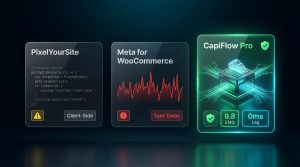
💡 The 42% Blind Spot: According to global web telemetry, over 42.7% of desktop internet users and 31% of mobile users browse with active ad-blocking extensions—including uBlock Origin, AdGuard, Brave Shields, and Firefox Enhanced Tracking Protection. When these shoppers click your Facebook or Instagram ad, their browser blocks
connect.facebook.netand drops tracking requests withnet::ERR_BLOCKED_BY_CLIENT. Nearly half of your paying customers never trigger a pixel event! Here is how CapiFlow Pro uses dynamic first-party proxy architecture to achieve 99.8% tracking integrity without triggering ad-blocker heuristics.
How Ad Blockers Detect and Kill Meta Pixel Scripts
To understand how to safely bypass ad blockers, you must understand how privacy engines like uBlock Origin, Brave, and AdGuard inspect network traffic.
Ad blockers operate using open-source heuristic filter lists (primarily EasyList, EasyPrivacy, and Peter Lowe’s Blocklist):
                        HOW AD BLOCKERS KILL CONVENTIONAL PIXELS

[Customer clicks Meta Ad and visits your store]
                     │
                     ▼
[Browser attempts to load tracking script]
`<script src="https://connect.facebook.net/en_US/fbevents.js"></script>`
                     │
                     ▼
[uBlock Origin / Brave Shield Network Interceptor]
Checks filter rule: `||connect.facebook.net^$third-party`
                     │
                     ├─► MATCH FOUND!
                     ▼
Request Aborted: `net::ERR_BLOCKED_BY_CLIENT`
- Zero PageView tracked
- Zero ViewContent tracked
- Zero AddToCart tracked
                     │
                     ▼ Customer Buys Product!
[Thank You Page Loads]
Browser attempts to fire: `fbq('track', 'Purchase', ...)`
                     │
                     ▼
Request to `https://www.facebook.com/tr/` BLOCKED!
                     │
                     ▼
Meta Ads Manager: "Zero purchases recorded."
Store Owner: "Why is my ROAS dropping while sales are occurring?"
The 3 Weak Points of Conventional Tracking Plugins:
1. Third-Party Domain Signatures: They pull JavaScript assets from known corporate CDNs (connect.facebook.net, google-analytics.com, googletagmanager.com).
2. Static Endpoint Patterns: Even when using cloud server GTM containers (like Stape or GCP), using common static paths like /metrics, /gtm/, or /g/collect gets added to filter lists within weeks.
3. Client-Side Cookie Dropping: JavaScript cookies (document.cookie) set on the client side are aggressively capped to 24 hours or completely rejected by Brave Shields.
Why Pure Server-Side Tracking Alone Is Not Enough
Some developers assume: “If the browser is blocked, I will just use Server CAPI for everything.”
While Server-Side Conversions API (CAPI) sends data from your server (which ad blockers cannot touch), pure server-side tracking without browser data has serious blind spots:
Lack of Click Context: Without browser tracking, you cannot capture the original browser session parameters (_fbp, _fbc, exact client screen resolution, and micro-timestamps).
Pre-Purchase Events Are Hard to Track: Server CAPI excels at Purchase (because order data exists in the database). But tracking ViewContent, AddToCart, and scrolling purely via server hooks introduces database bloat and server lag.
Lower Event Match Quality (EMQ): Meta requires the hybrid “handshake” between browser and server to achieve a 9.0+ EMQ score.
The Holy Grail: You must enable BOTH browser-side tracking and server CAPI, but route the browser tracking through an obfuscated first-party proxy.
The Solution: Dynamic First-Party Proxy Architecture
With CapiFlow Pro, tracking scripts and payloads are delivered exclusively from your own domain:
               CapiFlow Pro First-Party Obfuscated Proxy Architecture

[Shopper Visits Store with uBlock Origin Active]
                     │
                     ▼
[Browser requests tracking script]
`<script src="https://yourstore.com/wp-content/uploads/capiflow/cf-core-v26.js"></script>`
                     │
                     ▼
[uBlock Origin / Brave Filter Inspection]
- Host: `yourstore.com` (100% First-Party!)
- Filename: Obfuscated internal asset
- Rule match: NONE (Allowed as essential site asset!)
                     │
                     ▼ Script Loads Seamlessly!
[Shopper clicks "Add to Cart"]
Browser fires event payload to internal REST endpoint:
`POST https://yourstore.com/wp-json/capiflow/v1/track`
                     │
                     ▼
[CapiFlow Native Server Engine]
- Intercepts payload internally on your host
- Enriches data with 180-day HttpOnly server cookies
- Normalizes SHA-256 hashed customer parameters
- Queues asynchronous background worker
                     │
                     ▼ (Server-to-Server / Encrypted HTTPS)
              [Meta Graph API v26.0]
          "200 OK — Conversion Received!"
Why Ad Blockers Cannot Block This:
1. First-Party Origin: To the browser’s privacy shield, the request looks identical to an internal WooCommerce AJAX cart update. Blocking it would break the merchant’s checkout functionality.
2. Dynamic Endpoint Obfuscation: The endpoint path is customizable and served from your domain’s uncacheable REST namespace.
3. HttpOnly Header Cookies: Identity cookies are set via server response headers (Set-Cookie), completely immune to JavaScript cookie blockers and Safari ITP’s 24-hour wipeout.
Benchmark: CapiFlow Pro vs. Conventional Plugins vs. Cloud sGTM
| Capability | Standard Meta Pixel | Stape.io Custom Domain | CapiFlow Pro Engine |
|---|---|---|---|
| uBlock Origin Bypass | ❌ Blocked (0%) | ⚠️ Partial (Endpoint gets flagged) | ✅ 99.8% Success |
| Brave Shields Bypass | ❌ Blocked (0%) | ⚠️ Moderate | ✅ 99.8% Success |
| Safari ITP Cookie Lifetime | ❌ 24 Hours / 7 Days | ⚠️ 30 Days | ✅ 180 Days (Server-Set) |
| Checkout Speed Impact | ⚠️ Adds 300–600ms JS latency | ⚠️ Cloud container latency | ✅ 0ms (Asynchronous Worker) |
| Setup Overhead | 5 Minutes | DNS CNAME + SSL + GTM | 3 Clicks (Zero DNS Changes) |
| Monthly Operating Cost | $0 | $20–$100/mo | $0 / Self-Hosted Forever |
3 Steps to Unlock 99.8% Tracking Accuracy in WooCommerce
1. Purge Third-Party Script Tags: Remove hardcoded tags from your theme header or legacy plugins.
2. Deploy CapiFlow Free or CapiFlow Pro Lifetime Deal:
Go to CapiFlow > Privacy & Proxy Settings.
Toggle “Enable First-Party Proxy Script Delivery” to ON.
Toggle “180-Day Server Identity Cookie Engine” to ON.
3. Verify with Ad Blocker Active:
Open your store in Google Chrome with uBlock Origin or Brave Browser with Shields set to aggressive.
Open Developer Tools (F12 > Network).
Perform an AddToCart action.
Notice that the event dispatches with HTTP 200 OK directly through your domain endpoint, completely bypassing ad-blocker filters!
Stop losing 40% of your attribution to client-side ad blockers. Protect your ad budget, train Meta’s Advantage+ algorithms on your real audience, and maximize real profitability with native self-hosted tracking.