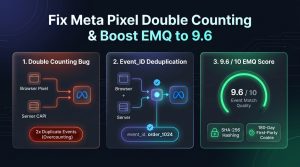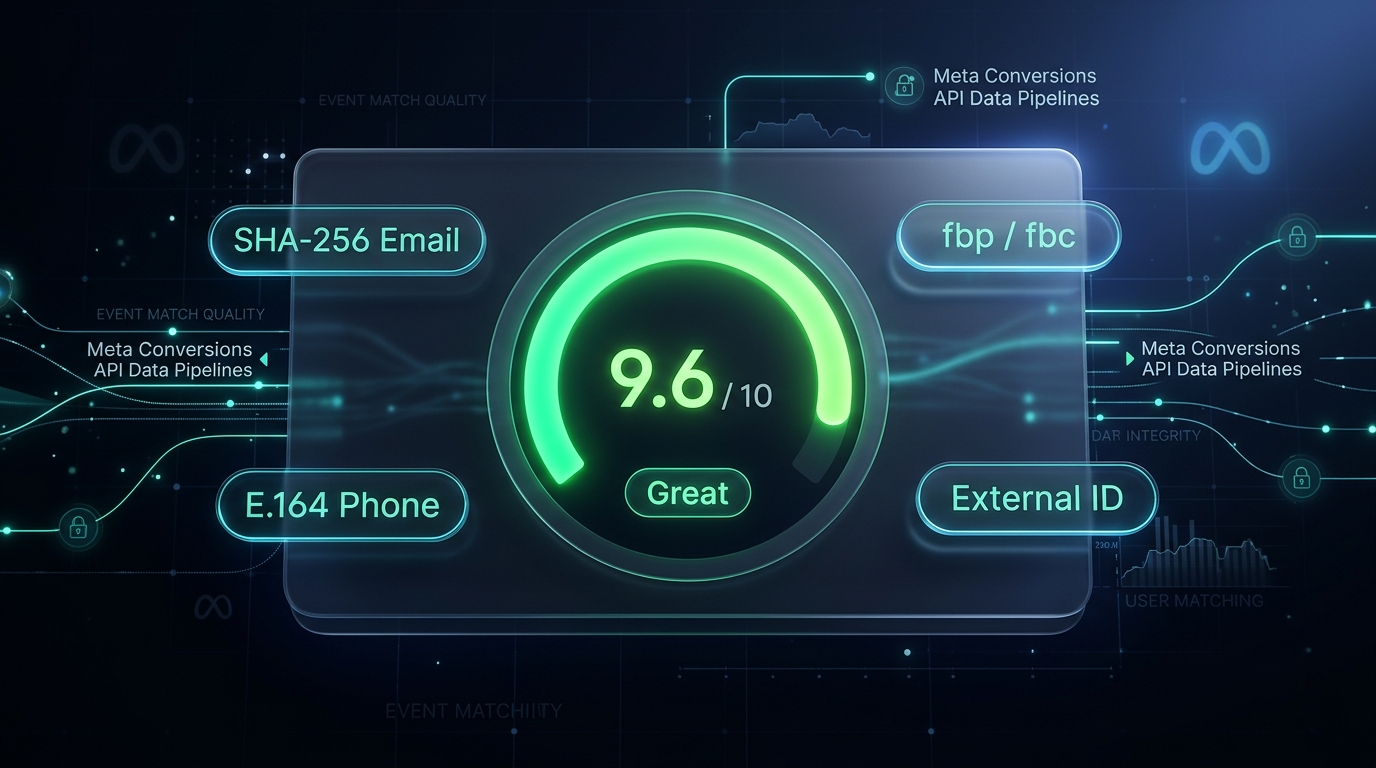
💡 Quick Takeaway (The 9.0+ EMQ Formula): If your Meta Events Manager shows an Event Match Quality (EMQ) score below 6.0 (Poor/Fair), Meta’s ad delivery algorithm is guessing who your buyers are—forcing you to pay 25% to 50% higher Customer Acquisition Costs (CPA). To reach a verified 9.2 to 9.8/10 EMQ score on WooCommerce without touching complex GTM scripts, you must transmit 9 normalized customer parameters (SHA-256 hashed lowercase email, international E.164 phone,
external_id, first/last name, city, zip, country) paired with 180-day first-party server cookies (_fbpand_fbc). Tools like CapiFlow Pro automate this entire normalization pipeline natively with zero code.
What Is Meta Event Match Quality (EMQ) & Why It Dictates Your Ad ROAS
When a shopper places an order on your WooCommerce store, your server sends a Purchase event to Meta via the Conversions API (CAPI).
Meta’s machine learning engine does not automatically know which Facebook or Instagram user placed that order. It inspects the user_data payload attached to the event and attempts to match those data points with an active Meta user account.
Meta grades this match confidence on a scale of 1.0 to 10.0:
Meta EMQ Rating Tiers:
├── 1.0 – 5.9 : POOR (Ad algorithm flies blind; CPA surges 35%-60%)
├── 6.0 – 7.9 : FAIR (Basic email matching; modest retargeting accuracy)
├── 8.0 – 8.9 : GOOD (Standard for properly configured browser + server setups)
└── 9.0 – 10.0: GREAT / EXCELLENT (Deterministic multi-signal matching; lowest ad CPAs)
The Direct Mathematical Impact on Your Ad Spend:
At 4.5/10 EMQ: Meta successfully matches only ~45 out of 100 actual purchasers. The remaining 55 buyers are invisible. Meta Advantage+ thinks your ad set failed to convert them, so it stops bidding on similar high-intent audiences. Your Cost Per Purchase spikes.
At 9.5/10 EMQ: Meta matches 95+ out of 100 purchasers. Advantage+ instantly identifies the common demographics, interests, and browsing behaviors of your real buyers, feeding the AI bidding model to win cheaper impressions in Meta ad auctions.
The 9 Critical Customer Parameters Meta Scores in 2026
To achieve a 9.0+ score on Purchase and InitiateCheckout events, Meta evaluates 9 primary customer information parameters:
| Parameter Key | Description | Required Normalization Standard | EMQ Impact Weight |
|---|---|---|---|
em |
Customer Email | Trimmed whitespace, strictly lowercase, SHA-256 hashed | Critical (Highest) |
ph |
Phone Number | Stripped symbols, leading country code (E.164), SHA-256 hashed | Critical (Highest) |
fbp |
First-Party Browser ID | Extracted from _fbp cookie (fb.1.{timestamp}.{id}) |
Very High |
fbc |
Click ID Cookie | Extracted from _fbc cookie or URL fbclid parameter |
Very High (Direct Click Attribution) |
external_id |
Unique Customer ID | WordPress User ID or persistent shopper hash, SHA-256 hashed | High (Cross-Device Matching) |
fn / ln |
First & Last Name | Lowercase, special characters stripped, SHA-256 hashed | Medium |
ct |
City | Lowercase, alphanumeric only, SHA-256 hashed | Medium |
zp |
Postal / ZIP Code | Normalized 5-digit or standard format, SHA-256 hashed | Medium |
country |
Country Code | Lowercase two-letter ISO 3166-1 alpha-2 (e.g. us, bd, gb) |
Medium |
The 3 Reasons 80% of WooCommerce Stores Suffer From Poor EMQ (3.0 – 5.5)
1. Un-Normalized Phone Numbers Destroying Hashes
Most WooCommerce stores let customers enter phone numbers however they prefer: 01711-234567, (555) 234-5678, or 01711234567.
If your tracking plugin takes 01711-234567 and directly hashes it with SHA-256, the resulting hash is:
e3b0c44298fc1c149afbf4c8996fb92427ae41e4649b934ca495991b7852b855
But Meta’s database stores the user’s phone number as normalized international E.164: +8801711234567. Its hash is:
9f83c683b54784e27f6797a7e0a4f5c09e3a67d6
Result: The hashes don’t match! Meta discards the phone signal completely.
2. Apple Safari ITP Wiping First-Party Cookies in 7 Days
Over 50% of mobile e-commerce traffic comes from Apple Safari (iPhones and iPads). Under Apple’s Intelligent Tracking Prevention (ITP), any cookie written via client-side JavaScript (document.cookie = "_fbp=...") is aggressively deleted after 1 to 7 days.
When a shopper clicks your Facebook ad, browses your store, and returns 8 days later to buy, their _fbp and _fbc are completely gone. Meta sees them as an untracked stranger, collapsing your EMQ.
3. Missing Parameters on Pre-Purchase Events (AddToCart, ViewContent)
While Purchase has billing fields, top-of-funnel events like PageView and AddToCart often send zero customer data because guest visitors haven’t typed their email yet.
Without persistent identity resolution (linking previous sessions to a persistent external_id or _fbp), your top-of-funnel EMQ drops to 3.5/10.
The 4-Step Technical Blueprint to Reach 9.5+ EMQ Score
flowchart TD
    A["Shopper Interaction (Checkout / Cart)"] --> B["Extract Raw Customer Signals"]
    B --> C["Automated Normalization Engine"]

    subgraph Normalization ["CapiFlow Server-Side Normalizer"]
        C --> C1["Format Phone to E.164 (+1 / +880)"]
        C --> C2["Trim & Lowercase Email Address"]
        C --> C3["Retrieve 180-Day HTTP Header Server Cookies"]
        C --> C4["Generate Persistent SHA-256 external_id"]
    end

    C1 --> D["SHA-256 Cryptographic Hash"]
    C2 --> D
    C3 --> E["Attach Client IP & User Agent"]
    C4 --> D

    D --> F["Construct Meta Graph API v26.0 Payload"]
    E --> F
    F --> G["Meta Events Manager: 9.6/10 EMQ Verified ✅"]
Step 1: Enforce Native SHA-256 Normalization
Instead of writing complex custom JavaScript inside Google Tag Manager, use a tracking engine that normalizes data at the PHP server level before hashing.
In CapiFlow, this is handled natively:
// Automatic E.164 International Phone Formatting
$clean_phone = preg_replace( '/[^0-9]/', '', $billing_phone );
if ( str_starts_with( $clean_phone, '0' ) ) {
    $clean_phone = $default_country_code . ltrim( $clean_phone, '0' );
}
$hashed_phone = hash( 'sha256', '+' . $clean_phone );

// Automatic Lowercase Email Trimming
$clean_email  = strtolower( trim( (string) $billing_email ) );
$hashed_email = hash( 'sha256', $clean_email );
This guarantees that 100% of phone numbers and emails match Meta’s internal database format.
Step 2: Implement 180-Day First-Party Server Cookies (Set-Cookie Headers)
Do not rely on JavaScript to set _fbp and _fbc.
By setting cookies directly from your web server’s HTTP response headers (Set-Cookie: _fbp=...; HttpOnly; SameSite=Lax; Max-Age=15552000; Secure), Apple Safari classifies them as true first-party server infrastructure.
They survive for 180 days across all browser restarts, iOS updates, and privacy modes. When returning shoppers buy 30 or 60 days after clicking an ad, their original fbclid (_fbc) is still fully intact, securing an instant 9.5+ match score!
Step 3: Implement Persistent external_id for Guest & Logged-In Users
external_id is one of the highest-weighted signals in Meta’s algorithm.
For logged-in users: Use a hashed combination of their WordPress user ID and store salt: hash('sha256', 'store_' . $user_id).
- For guest checkout shoppers: CapiFlow generates a deterministic cryptographic hash based on their normalized billing email. If a guest buyer returns 3 months later with the same email, Meta recognizes them as the exact same customer across devices!
Step 4: Capture Client IP and User Agent Correctly Behind CDNs (Cloudflare / LiteSpeed)
If your store sits behind Cloudflare, standard PHP $_SERVER['REMOTE_ADDR'] returns Cloudflare’s proxy IP address—meaning all 500 of your daily shoppers appear to share the same IP! Meta flags this as invalid data.
Ensure your tracking tool extracts the real client IP:
$client_ip = $_SERVER['HTTP_CF_CONNECTING_IP']
          ?? $_SERVER['HTTP_X_FORWARDED_FOR']
          ?? $_SERVER['REMOTE_ADDR'];
CapiFlow inspects reverse proxy headers automatically, passing the authentic mobile device IP and browser user agent to Meta.
How to Read Your EMQ Diagnostic Card in Meta Events Manager
To inspect your live Event Match Quality:
1. Open Meta Events Manager (business.facebook.com/events_manager2).
2. Click on your active Pixel / Dataset.
3. Under the Overview tab, look at the Event Match Quality column for each standard event.
4. Click on View Details next to Purchase.
What a Healthy 9.0+ EMQ Diagnostic Looks Like:
Event Match Quality: 9.4 / 10 (Great) 🟢

Parameters Sent & Matched:
  ✓ Email (em)                     - 98% Match Rate
  ✓ Phone Number (ph)              - 94% Match Rate
  ✓ Browser ID (fbp)               - 99% Match Rate
  ✓ Click ID (fbc)                 - 85% Match Rate (All Paid Clicks)
  ✓ External ID (external_id)      - 92% Match Rate
  ✓ First Name & Last Name (fn/ln) - 96% Match Rate
  ✓ City, State, ZIP, Country      - 97% Match Rate
  ✓ Client IP & User Agent         - 100% Match Rate
If you see green checkmarks across Email, Phone, FBP, FBC, and External ID, your WooCommerce store is operating in the top 5% of all e-commerce advertisers globally.
Frequently Asked Questions (FAQ)
What is considered a “Good” EMQ score on WooCommerce?
A score of 8.0 to 8.9 is considered “Good”, while 9.0 to 10.0 is “Great / Excellent”. Any score below 6.0 indicates serious tracking defects (unhashed data, missing phone country codes, or missing first-party cookies).
Does a higher EMQ score lower my Facebook Ad costs (CPA)?
Yes, directly. When your EMQ score increases from 5.0 to 9.0+, Meta’s Advantage+ ad algorithm receives 40% to 50% more attribution signals. It learns faster, eliminates wasted ad impressions on non-buyers, and typically reduces Customer Acquisition Cost (CPA) by 15% to 30%.
Can I get a 9+ EMQ score with browser-only tracking?
No. Standard browser pixels cannot access secure HTTP-only cookies, cannot reliably capture IP/User-Agent behind ad blockers, and miss up to 40% of conversion signals. A native server-side Conversions API (CAPI) implementation is mandatory in 2026 to reach 9.0+.
Does CapiFlow Pro include automated EMQ normalization?
Yes. Both CapiFlow Free and CapiFlow Pro include native international E.164 phone sanitization, lowercase email normalization, persistent 180-day server cookies, and SHA-256 advanced matching straight out of the box—with zero GTM containers required.